
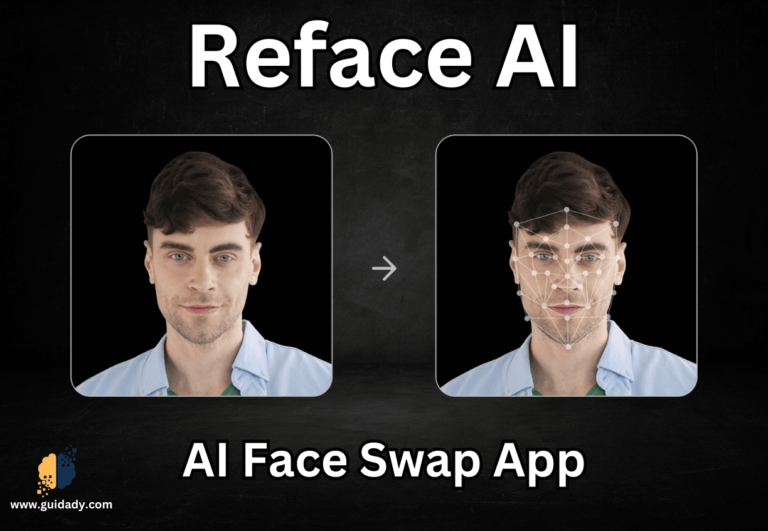

[vc_row][vc_column][vc_headings linewidth=”0″ borderwidth=”1″ borderclr=”#000000″ title=”Reface” google_fonts=”font_family:Comfortaa%3A300%2Cregular%2C700|font_style:700%20bold%20regular%3A700%3Anormal” titlesize=”60″ titleclr=”#000000″]AI Face Swap App[/vc_headings][vc_single_image image=”5240″ img_size=”full” alignment=”center”][vc_column_text]Reface AI is an app that lets you swap faces with celebrities and create funny videos and filters. You can use your own photos to generate realistic and personalized AI avatars with the AI Photo Editor. No need to search for images online or use complicated tools – Reface AI Photo Editor does the work for you. Make amazing AI Avatars with the AI Photo Editor feature![/vc_column_text][vc_btn title=”Visit Website” color=”warning” align=”center” i_align=”right” i_icon_fontawesome=”fas fa-external-link-alt” add_icon=”true” link=”url:https%3A%2F%2Freface.ai%2F”][vc_separator][/vc_column][/vc_row][vc_row][vc_column][vc_headings style=”theme4″ borderclr=”#000000″ style2=”image” title=”How It Works” google_fonts=”font_family:Comfortaa%3A300%2Cregular%2C700|font_style:700%20bold%20regular%3A700%3Anormal” lineheight=”3″ titlesize=”40″ titleclr=”#000000″ image_id=”2854″][/vc_headings][evc_icon_with_text type=”icon-left” icon_library=”fontawesome” title_tag=”” icon_fontawesome=”fas fa-check-circle” title=”Step 1- Face embeddings generation” text=”Reface converts every uploaded photo into a secure numerical representation called “face embeddings“. These numbers capture the facial features and are distinct for each face.” text_color=”#000000″][vc_single_image image=”5242″ img_size=”full”][evc_icon_with_text type=”icon-left” icon_library=”fontawesome” title_tag=”” icon_fontawesome=”fas fa-check-circle” title=”Step 2- Original photo deletion” text=”Reface respects your privacy and does not store or share your photos. After generating the face embeddings, Reface deletes your original photo from the cloud within 24 hours (usually, in one hour). Reface cannot use the face embeddings to recreate the original photo.” text_color=”#000000″][vc_single_image image=”5243″ img_size=”full”][evc_icon_with_text type=”icon-left” icon_library=”fontawesome” title_tag=”” icon_fontawesome=”fas fa-check-circle” title=”Step 3- Face swapping with face embeddings” text=”Reface uses the face embeddings to create realistic face swaps. Reface saves the face embeddings on Google servers so that you can reuse them for multiple face swaps easily.” text_color=”#000000″][vc_single_image image=”5244″ img_size=”full”][vc_separator border_width=”2″][/vc_column][/vc_row][vc_row][vc_column][vc_separator border_width=”3″][vc_headings style=”theme4″ borderclr=”#000000″ style2=”image” title=”Download Apps” google_fonts=”font_family:Comfortaa%3A300%2Cregular%2C700|font_style:700%20bold%20regular%3A700%3Anormal” lineheight=”3″ titlesize=”40″ titleclr=”#000000″ image_id=”2852″][/vc_headings][mvc_infobox link=”link_box” title_color=”#000000″ image_id=”2440″ alt=”App Store” btn_url=”url:https%3A%2F%2Fplay.google.com%2Fstore%2Fapps%2Fdetails%3Fid%3Dvideo.reface.app|title:Download%20From%20PlayStore|target:_blank”][/mvc_infobox][mvc_infobox link=”link_box” title_color=”#000000″ image_id=”2441″ alt=”App Store” btn_url=”url:https%3A%2F%2Fapps.apple.com%2Fus%2Fapp%2Freface-face-swap-ai-yearbook%2Fid1488782587|title:Download%20From%20AppStore”][/mvc_infobox][/vc_column][/vc_row][vc_row][vc_column][vc_headings style=”theme4″ borderclr=”#000000″ style2=”image” title=”What you can do with Reface AI” google_fonts=”font_family:Comfortaa%3A300%2Cregular%2C700|font_style:700%20bold%20regular%3A700%3Anormal” lineheight=”3″ titlesize=”40″ titleclr=”#000000″ image_id=”2854″][/vc_headings][/vc_column][/vc_row][vc_row][vc_column][vc_column_text]
Face Swap
You can swap your face on photos and videos from a huge library of content. You can also personalize your content with face swaps and add filters and effects to make it more fun. You can even try face swaps with a live camera.
AI Tools
You can use Reface’s AI tools to transform your appearance and create stunning content. You can see how you would look like as a child, create custom AI avatars in different styles, apply stylized AI filters to your photos, try out virtual tattoos on your body, and generate AI photos and videos with your face.
Photo Animation & Video Editor
You can animate your own photos and videos with Reface AI photo animation and video editor. You can make your photos sing with tons of templates and songs, add video effects and filters, and create short videos from your photos.
Greetings Maker
You can create greeting cards with your face for any occasion. You can choose from birthday, Christmas, Halloween, and more themes and customize them with your face.
Different Styles
You can see your appearance in different eras and styles with Reface’s different styles feature. You can make vintage pics of yourself, change styles, and be anyone you want.
Trending Content & Filters
You can choose from hundreds of viral photos or videos and create your own one with Reface’s trending content and filters feature. You can try various AI video or photo filters like “AI Yearbook“, “Pregnant Beauty“, “Anime”, and more.[/vc_column_text][vc_separator][/vc_column][/vc_row][vc_row][vc_column][vc_separator border_width=”2″][vc_headings style=”theme4″ borderclr=”#000000″ style2=”image” title=”Customers Review” google_fonts=”font_family:Comfortaa%3A300%2Cregular%2C700|font_style:700%20bold%20regular%3A700%3Anormal” titlesize=”40″ titleclr=”#000000″ image_id=”2853″]What others are saying[/vc_headings][vc_separator border_width=”3″][vc_testimonial style=”theme3″ rating=”5_stars” nameclr=”#000000″ profclr=”#000000″ image_id=”3287″ alt=”rating” width=”100″ name=”QmomT” prof=”AppStore User”]“I’ve had such fun with this app! It works so seamlessly and is so easy to use that I can hardly believe it. The photo doesn’t necessarily even have to be a good one of the person (certain photos seem to read better than others and I’ve had some crappy photos of people that still worked beautifully in Reface, while some lovely photos didn’t read as well). I’ve even had success using black and white photos of people. I’ve done things like taken photos of myself, my daughter, my mother, her sisters, and their daughters and granddaughters (my cousins), all at around the same age (late teens/early 20s) and put them all into the same video and saved each one. That allowed me to then go back and forth looking at each one of us with the same hairstyles, the same dress, and all at the same age and see how much we REALLY all look alike, without the distractions of some pictures being in black and white and some not, or someone having a beehive hairdo etc. etc. I then shared these videos with my whole family so all could see how similar we all really are. I’ve also used the videos to bring my Grandmother’s smile back to life (if a different form), and to make cute videos of a relative with cancer to cheer her up. It’s quite a lark and always brings a smile!”[/vc_testimonial][vc_separator color=”vista_blue” border_width=”3″][vc_testimonial style=”theme3″ rating=”4_stars” nameclr=”#000000″ profclr=”#000000″ image_id=”3287″ alt=”rating” width=”100″ name=”BlueGTwWt” prof=”AppStore User”]
[/vc_testimonial][vc_separator color=”vista_blue” border_width=”3″][vc_testimonial style=”theme3″ rating=”5_stars” nameclr=”#000000″ profclr=”#000000″ image_id=”5250″ alt=”rating” width=”100″ name=”otto martinez” prof=”PlayStore User”]
[/vc_testimonial][/vc_column][/vc_row]
0 Comments